If you’re changing the car you’re coming in, please make sure to update your booking accordingly. We will be checking these details upon your arrival. It’s also important that your contact telephone number is correct so that we can contact you in case there is an emergency.
To change your vehicle or contact information:

Open your order confirmation page. You can find a link to this in any e-mail we’ve sent you regarding your order.
Our e-mails are sent from [email protected] or [email protected]. If you can’t find it check your junk or spam folder, and if it’s not there contact us.

On the page, you’ll see your current details. To change them, select “change answers”
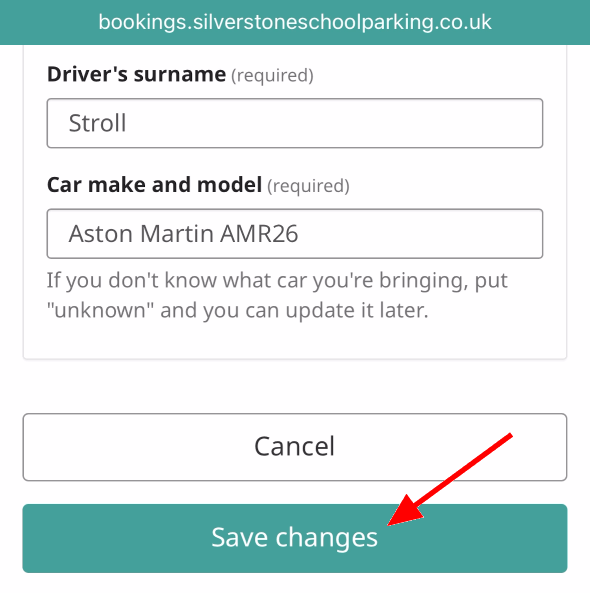
Enter the new details, then click “Save changes”
This will update our system automatically. If you have printed off your ticket, please download and print it again with the updated details.
If you have any trouble with this process, please contact us and we can take a look.